Meccha Chameleon Mobile

Play Meccha Chameleon Mobile in Your Browser

Mecha Chameleon — Global Arena is a free multiplayer hide-and-seek game that runs in your phone's browser. This site hosts the full browser build in an embedded player, so you can open it in Chrome, Safari, or any modern mobile browser and start hiding within seconds — no APK, no App Store install, no account, and nothing to download.

Each match drops you into a 16-player regional server with other real people. Some are hunters, some are hiders — your job is to use the paint panel to color yourself and disappear into the room, then move and act at the right moments. Touch buttons (Jump, Run, Down, Paint, Whistle, Emotes) sit on the screen, so you do not need a keyboard to play.

No app download is required. Open the page, hit Play in the embedded window, and you are in a match. Bookmark the site and the game is one tap away the next time you want to play Mecha Chameleon online on mobile.

Play Meccha Chameleon Online

Mecha Chameleon Mobile Gameplay

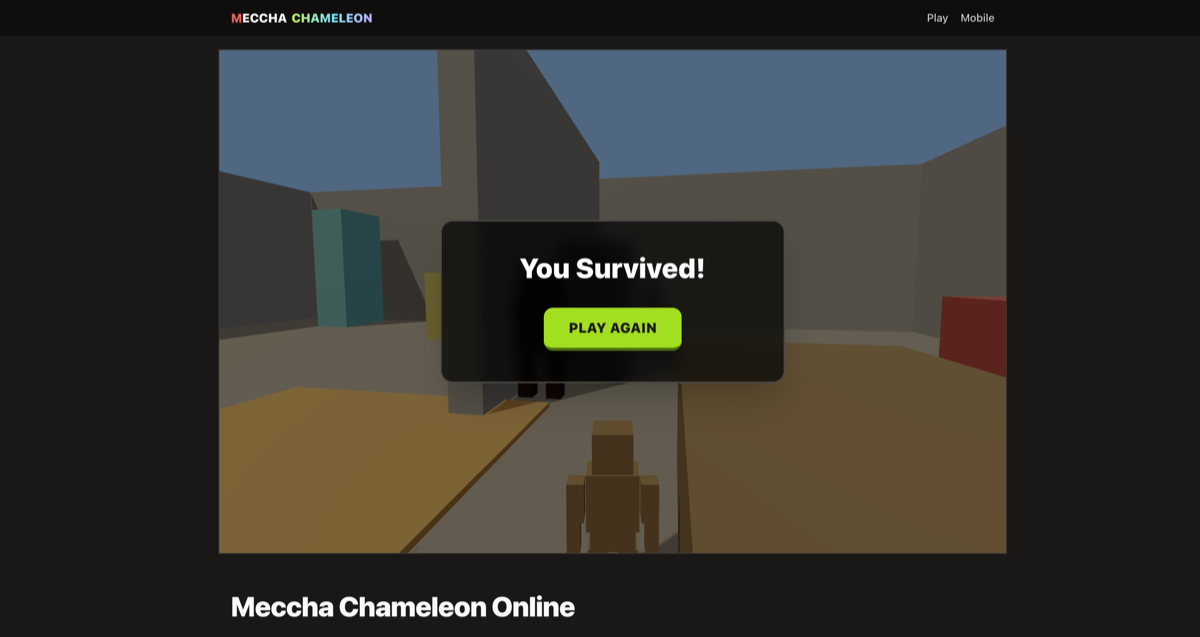
Mecha Chameleon Global Arena mobile gameplay showing touch controls and a paint panel over a 16-player hide-and-seek room

The mobile play screen keeps the important information visible: the room you're in, your health, your compass, and the chat from other players on the server. On a small screen, that clarity matters more than extra decoration — you should always know where you are, who is nearby, and whether it is safe to move.

For the best first round, learn the touch buttons before joining a busy server. The paint panel is the main verb: pick a color that matches your cover, then stay still when hunters are nearby. Move again only after they have passed. That simple loop keeps the game readable on a phone while still giving you a reason to replay and improve your hiding spots.

Meccha Chameleon Mobile Quick Start

Why play Meccha Chameleon Mobile in the browser

Meccha Chameleon Mobile runs the full browser build right on this page — no App Store visit, no APK download, no waiting for an installer. Open the site, tap Play in the embedded window, and you are in a 16-player regional server within seconds. That instant access is why most players choose the mobile browser version over a traditional app download — you can sneak in a round on a coffee break or a commute without committing storage to your phone.

Best settings for touch-screen play

Rotate to landscape for a wider view of the room, turn off battery saver so the browser keeps a steady frame rate, and close extra tabs before joining a server. Chrome on Android and Safari on iPhone handle the embedded 3D build best. A stable Wi-Fi or 5G connection matters more than raw speed — Meccha Chameleon Mobile joins regional servers, so a low-latency link gives you the reaction time you need when a hunter sweeps around a corner.

Why Meccha Chameleon Mobile is a quick-session game

A full Meccha Chameleon Mobile round takes just a few minutes: prepare, hunt, win or lose. That short loop is what makes the mobile browser build work — it fits between meetings, on a commute, or during a break. Bookmark the page and Meccha Chameleon Mobile is always one tap away when you have a free moment.

Mecha Chameleon Mobile Controls

The embedded game shows its own on-screen touch buttons — Jump, Run, Down, Paint (open the paint panel), Whistle, and Emotes sit on the right side of the screen. The exact layout is shown when the game loads; follow the in-game tutorial the first time you play.

Mobile play rewards patience. Painting the wrong color or moving at the wrong time gives you away, so the safest habit is to pick a color that matches your cover, hold still, watch the hunters, and only move when the path is clear. If you feel exposed, repaint to match the nearest surface before making another dash.

Android and iPhone Tips

On Android, Chrome usually gives the smoothest experience. On iPhone and iPad, Safari is the safest choice because it has strong WebGL support and stable touch handling. If the game feels cramped, rotate the device, close extra tabs, or reload the page before joining a server.

A modern browser with WebGL is required because the game uses real-time 3D rendering. You do not need a controller, a login, or a large download. Keep battery saver off during play if your phone aggressively limits browser performance, and use a stable connection — the game joins a regional server (EU-WEST and others), so a few hundred ms of ping matters when other players are hunting you.

Mecha Chameleon Mobile vs App Download

The biggest advantage of Mecha Chameleon Mobile is instant access. A normal app download means finding the right store page, waiting for installation, and giving the app storage space. The embedded player on this page removes that setup and lets you drop into a multiplayer server immediately — no install, no account, no waiting.

This page is an unofficial fan site that hosts the Mecha Chameleon — Global Arena browser build in an embedded player, built for fast online play on touch screens. Note that the game is primarily designed for mouse + keyboard on desktop — the mobile version uses on-screen touch buttons and works well, but a desktop browser is still the recommended way to play.

Steam vs This Site

FeatureSteamThis site
PricePaid (official product)Free to play
InstallDownload via Steam clientInstant in the browser
PlatformsPC-focused (official release)PC, Android, and iOS browsers
MultiplayerOnline (PC servers)Online (16-player regional servers)
AffiliationOfficial MECCHA CHAMELEONUnofficial fan-hosted embed

FAQ

Can I play Mecha Chameleon on Android or iPhone?

Yes. Open this site in a modern mobile browser — no app download required. The embedded browser build supports on-screen touch buttons (Jump, Run, Down, Paint, Whistle, Emotes) for phones and tablets.

Can I play Mecha Chameleon without an app?

Yes. The game runs entirely in your browser, so you do not need an APK, App Store download, account, or launcher. Bookmark the page and play anytime without using storage for an install.

What is the best browser for Mecha Chameleon mobile?

Chrome on Android and Safari on iPhone are the safest choices. A modern browser with WebGL support is required for the 3D game.

How is this different from the Steam game?

The paid Steam release is separate from this page. This mobile page is an unofficial fan site that hosts the Mecha Chameleon — Global Arena browser build in an embedded player. The Steam PC release is the official paid product; the browser version is a free multiplayer spin-off with 16-player regional servers.

What controls work on touch screens?

The browser build shows on-screen touch buttons: Jump, Run, Down, Paint (open the paint panel), Whistle, and Emotes. The exact layout is shown when the game loads. Desktop mouse + keyboard is the recommended way to play — the game shows an ESC / TAB = MOUSE hint by default — but the touch buttons make mobile play workable.

Ready for a full session? Jump back to the main game.

Play Meccha Chameleon Online